Zebra Plastic Card Printers.

Zebra Plastic Card Printers come in a variety of styles and price ranges, including single-sided printers, dual sided printers, and security printers

Healthy Solutions for Healthcare.

The healthcare industry benefits from barcoding. Barcoding enhances patient safety and operational efficiency.

Seagull Scientific Products

Seagull Scientific BarTender is an industry-leading label design and barcode software. Seagull Scientific also develops true Windows printer drivers for bar code and thermal printers.

MC 9190G

The Ability To Satisfy Your Company Software Requirements.

Wireless Broadband

The unrivalled Motorola portfolio of Point-to-Point (PTP), Point-to-Multipoint (PMP), and Mesh Wide Area Network (MWAN), WLAN and VoWLAN solutions make governments, enterprises, and service providers more agile by helping them deploy voice, video, and data applications right where they need them.

Showing posts with label Barcode. Show all posts

Monday, 6 January 2014

What is a Barcode?

Introduction
During a shopping excursion to a shopping mall, you would have noticed the cashier scanning your products using some Laser device to What is BAR CODE Technologyproduce a bill. What actually he is doing that he is reading the product barcodes using a Laser/Barcode scanner. Barcode scanner reads the code, data is sent to the computer, and computer looks up into the database for the price and description of the item.

Barcodes are structured to contain specific product related information. It basicallyencodes alphanumeric characters and symbols using black and white stripes, also called bars.  Bar-coding is one of the AIDC (Automatic Identification and Data Collection)technologies which reduce human involvement in data entry and collection and thereby also reducing error and time.
Structure of Barcode
A typical barcode consists of the following:
Quiet Zone –The minimum required space for bar code scan-ability, preceding the Start Character of a bar code symbol. The quiet zone should be free from any printing and be the same colour and reflectance as the background of bar code symbol. The Quiet Zone should be ten times the width of the narrowest element in the bar code, or 0.25 inch minimum. Also known as Clear Area.
Start Code –Indicates the start of the barcode. These are sspecial bar code characters & they signify the start of data to the scanner/reader. Start characters are usually stripped-off and not transmitted to the host. 
  Data –The actual data the barcode stores.
Check Digit –Check digit (not always present) is a mathematical sum that is used to verify the accuracy of the other elements of the barcode. It is the eextra digit added at the end of a bar code to allow the scanner to confirm that it read the bar code correctly. It is typically stripped from the data and not transmitted to the host.
Stop Code – Indicates the stopping point of the barcode. These characters signify the end of data to the scanner/reader. They are also stripped-off and not transmitted to the host.
Trailing Quiet Zone – Another clear space with no printing following the Stop Character.


Standards
Number of bar code standards have evolved over the years and are represented in different symbologies. A symbology specification defines the details necessary for the barcode to be printed and also provides details to read and decode barcode by a scanner/reader.
 
Symbology specification documents typically range from 8 pages to 120 pages. However, in a simplified way, the standard must contain:
·         A definition of the width of the bars and the spaces.
·         A method to define each character that is encodable (whether numeric only or full ASCII).
·         The start and stop characters.
·         Any check character support built in.
·         Any free space needed around the symbology to allow for a clean decode.
 Barcode symbologies can be either linear or two-dimensional.
Linear Barcode Standards
Linear barcodes use single row of black and white bars. Examples of linear barcodes are:
·             ISO/IEC 15420 Bar code symbology specification - EAN/UPC
UPC (Universal Product Code) uses 12-digit numeric containing a unique manufacturer ID number, and product number. EAN (European Article Numbering) is similar to UPC except the fact that it uses 13-digit numeric.


 ISO/IEC 16388 Bar code symbology specifications - Code 39
It is a discrete barcode. It implies that a single character is represented by a fixed pattern of bars. Each character is made up of 9 (5 black & 4 white) bars. Code 39 barcode symbology supports 43 characters set plus an additional character used as a delimiter or start/stop character. The start/stop character always occurs as the first and last character in a complete barcode and is represented in the human readable text by the *character.
 
The 43 character set includes the following: 1234567890ABCDEFGHIJKLMNOPQRSTUVWXYZ -   . $ / + % SPACE.
A check digit is generally not used with Code 39. The check digit is the modulus 43 sum of all the character values in the message and it is printed as the last data character.
Bar Code ISO/IEC 16388 symbols
 
ISO/IEC 15417 Bar code symbology specification - Code 128
CODE 128 allows the full ASCII 128 character set to be encoded. Each bar or space can be one of four different unit widths. The narrowest possible bar or space will thus be one quarter the width of the widest. It permits bidirectional scanning and theoretically, there is no restriction on the number of characters allowed in each symbol.
Code 128 has three different character sets as Code Set A, Code Set B and Code Set C. Any of these codes may be selected by appropriate selection of start character. The Code 128 Specification requires the inclusion of a check digit. The check digit is a Modulus 103 checksum.
Each character in the barcode symbol is composed of three bars and three spaces. The stop character has four bars and three spaces.  
Bar Code ISO/IEC 15417 symbol
 
· ISO/IEC 16390 Bar code symbology specifications - Interleaved 2-of-5 (ITF25)
Primarily used in the warehouse industry, Interleaved 2 of 5 encodes any even number of numeric characters in the width of both bars and spaces. It is called “Interleaved” because 2 characters are encoded in a unit of 5 bars and spaces. It uses both bar and space width to encode information so the density of ITF25 is much higher. Interleaved 2 of 5 is a numeric symbology and it character set only include 10 digital characters.
Bar Code ISO/IEC 16390 symbol


Thursday, 28 February 2013

Inventory Management and Stocktaking with Android


+TEC-IT published the new release of Rapid Inventory, the smart and efficient Android app for inventory control and stocktaking.

It's Smooth 

Rapid Inventory was optimized for fast, smooth and simple operation on smart phones and tablets. Item lists are build and managed in no time at all. SKU or item bar codes can be scanned with the built in camera or with external Bluetooth bar code scanners. Especially the integrated Bluetooth scanner support makes this app the ideal solution for business and industrial application areas.

Items may be labelled with any number of custom tags. This new feature allows users to organize and group items into categories while still maintaining a single item database. Items can be imported from or exported to external databases. Google Drive online spreadsheets, CSV (Microsoft Excel) and XML files are supported.
Rapid Inventory for Spare Part Management
Using an external Bluetooth Barcode-Scanner with Rapid Inventory

Release Highlights

  • Labels
    Tag items with an arbitrary number of custom labels.
  • Item Filter
    Filter the item list by assigned labels.
  • Quantity Management
    Item quantities can be incremented and decremented by any amount.
  • Import/Export
    Improved import and export support for CSV, XML and Google Drive.
  • Scanner Support
    Barcode scanning with with external Bluetooth scanners or the built-in camera scanner.

Available Versions

Rapid Inventory is available on Google play for free (for up to 100 items), as business version (manages up to 500 items) and finally as completely unlimited Enterprise version. Single licenses for the app can be purchased directly using Google play; discounted volume licenses are available exclusively from TEC-IT.

Give it a try!

About TEC-IT

+TEC-IT Datenverarbeitung GmbH provides high quality software in the areas of automated data acquisition and data collection, bar-coding, barcode extensions for ERP systems, label and form printing, report generators and output management. TEC-IT products are available for all major platforms, thus customers benefit from complete and versatile software solutions for all possible requirements. The company is located in Austria / Europe and can be reached via www.tec-it.com. All trademarks are the property of their respective owners.

Wednesday, 2 January 2013

Grandfather of the Modern Barcode, Norman Joseph Woodland, Has Died


From lecturer in mechanical engineering at Drexel University to technical assistant on the Manhattan Project to inventor of the original concept of barcoding (inspired by Morse code), Norman Joseph Woodland led a very interesting life. He passed away on December 9th, 2012, at the age of 91.

DC Velocity has an interesting piece on the man whose ideas helped slingshot the manufacturing,

Thursday, 12 July 2012

Pair An Orphaned CueCat With Nerd-Toy Arduino & What Do You Get? Barcodes!


Hack a Day has a user-generated how-to for mashing up a CueCat with an Arduino board and making barcode-scanning magic happen.


It's not practical, and it doesn't save time or money but some things are worth doing because they're just weirdly cool.

Wednesday, 8 February 2012

How to Make UPC Barcodes in Excel

Needing a UPC barcode for your product/s really is a measure of success. It means you're working with established retailers or distributors who are fully engaged in the retail channel, upping the chances that your widget will be a winner. You're probably just days away from becoming a thousandaire! Hurray! Congratulations! Once you've got your raw UPC numbers from GS1 (or from us!), you're ready

Tuesday, 7 February 2012

Azalea's Code 128 Software in Excel

When you've got a zillion Code 128 barcodes to create, you don't want to have to make them one at a time. That's one zillion opportunities for typos, transposed digits or fat-fingering your keyboard into barcodes that are wrong, wrong, wrong. And if it's wrong, what's the point? Barcodes are here to make our lives easier, like robot servants and indoor plumbing.The best way to make a buncha'

Monday, 6 February 2012

How to Copy Excel Macros

If you're anything like me, trying to use the advanced features in an Excel spreadsheet can be like trying to fly the space shuttle when you're used to riding a moped. Macros, user-defined functions, formulas, WHAT DO THEY ALL MEAN?!A macro - a built-in call, action, or process - in an Excel spreadsheet is actually one of the most useful functions you can access. And there are a zillion macros

What Kind of Barcode Do I Need?!

Figuring out which barcode type (or 'symbology') to use for your data can be confusing. Do you need a UPC barcode? A Code 128? An Interleaved 2 of 5 (ITF), Code 39, POSTNET or Codabar or PDF417? If this is all gobbledygook to you, check out our super handy video tutorial for tips and tricks on how to pinpoint which barcode you should use for which project.

Wednesday, 12 October 2011

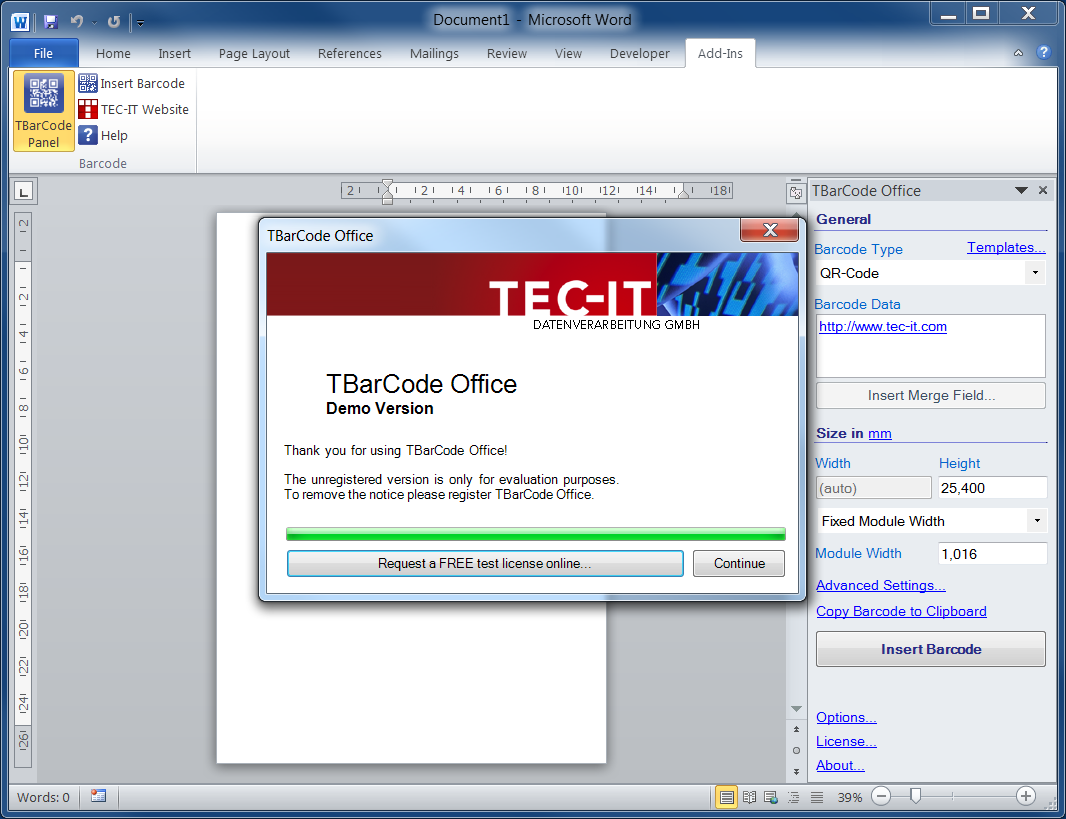
Free 10 Day Trial for TEC-IT's Barcode Add-In for MS Office


TEC-IT will shortly release the new version 10.3.3 of the barcode add-in TBarCode Office.

Free Eval for Office Barcode Add-In
The new release offers only a single - but very useful - highlight. Users interested in testing the product may now apply for a free and unlimited 10 day trial license. The evaluation license can be retrieved online and unlocks all product features. TEC-IT does not collect any personal data and does not ask questions. A single click is enough to apply for an evaluation license.

About TBarCode Office

10 Day Unlimited Evaluation
The barcode add-in TBarCode Office is intended solely for users of Microsoft Word and Microsoft Excel (Microsoft Office 2007 or higher). It enables customers to quickly insert barcodes into any Word or Excel document. The barcode add-in integrates seamlessly into Microsoft Office and is extremely easy-to-use. A convenient barcode panel provides access to all bar code parameters - linear, GS1 or 2D barcodes are inserted into letters, mail merge documents, spreadsheets and barcode labels in no time at all. TBarCode Office creates and prints barcodes in perfect quality on all printers. The product supports more than 100 barcodes - linear bar codes, postal codes, GS1 DataBar and 2D codes.

Free Release Candidate Downloads

A free pre-release is available for TBarCode Office V10.3.3. Check it out today! TBarCode Office can be used with 32 bit and 64 bit versions of Microsoft Office 2007/2010.

Download TBarCode Office Microsoft Word and Microsoft Excel 2007/2010

In case of questions or if you experience troubles please let us know: support@tec-it.com. Thanks.

About TEC-IT

WWW.TEC-IT.COM
TEC-IT Datenverarbeitung GmbH provides high quality software in the areas of bar-coding, barcode extensions for ERP systems, label and form printing, reporting and automated data acquisition. TEC-IT products are available for all major platforms, thus customers benefit from complete and versatile software solutions for all possible requirements. The company is located in Austria / Europe and can be reached via www.tec-it.com.
All trademarks are the property of their respective owners.

Monday, 17 January 2011

Barcode Studio Beta Available: Mac/Windows Barcode Maker Software

A fresh beta version of Barcode Studio - the popular barcode maker software was extended with basic barcode label printing features!

NEW: Label Printing

Barcode Studio V11 introduces two main features:
  • Simple barcode label printing
  • Generating barcodes with captions
Both features help you to print simple barcode labels for articles, price tags, inventory labels, etc. within a minute. Just enter or import the data required and print thousands of labels with just a single click. The label printing feature works on all operating systems - Barcode Studio is available for Microsoft Windows, Mac OS X, Linux and UNIX.

Video Preview


Simplified User Interface

In addition the user interface was simplified and provides now 3 main tabs which allows you to:
  • Design a barcode and adjust all required code parameters. In this section you have also the possibility to add captions above and below a barcode.
  • Enter or import data for batch label printing or batch barcode creation
  • A label tab for adjusting the barcode label layout. Just select one of the pre-defined label templates for commercially available adhesive labels or specify your custom label settings.

Free Beta Download

After installing the new version you have the possibility to request a free test license online. This test license unlocks Barcode Studio, you can test it for 10 days without limitations. Please note that a commercial usage of the test license is not allowed.

Other Improvements

  • Mil-Support
    Mils can now be entered with improved accuracy.
  • Simplified Menus
    The different export menus were combined into one menu.
  • CMYK Colors
    Mac OS: CMYK color settings are now saved in the settings files (.bc), when the color was entered as CMYK values.
  • Dialog Sizing Problems
    Wrongly sized input dialogs were fixed.
  • Preview in Import Dialog
    The data preview in the import dialog now always shows the actual file content.
  • Lost Cursor Position
    The cursor position in the data edit box was lost after typing the first character. This problem was fixed.
  • Data List: New Data Row in Hex Mode
    New data rows are now added correctly if hexadecimal character input mode is turned on.

Availability

Pricing, detailed descriptions and free downloads are available shortly from TEC-IT.

Wednesday, 1 September 2010

Barcode Scanner Keyboard for Android

Type Or Scan Barcode Keyboard

Barcode Keyboard - +TEC-IT's new soft-keyboard for Android offers integrated camera scanner support. Using this keyboard you are able to scan barcodes directly into any app, application switching or copy/paste is no longer required.

After the application was installed, this Barcode Keyboard  can be activated in Android Settings -- Language / keyboard.
Once activated you are still able to key-in text manually using the hardware or software-keyboard of your Droid. But whenever you need to enter the data of a barcode (e.g. an EAN or UPC product code, a QR-Code, ...) just press the barcode key or long press the num/alpha modifier. A camera scanner app (choose between the built-in or an external scanner) is opened, the barcode is decoded and the Barcode Keyboard enters the barcode data automatically into the current input field. No manual typing is required.

User Manual

NEW: A complete and updated user manual in German and English is available on TEC-IT's web site!

Enable Barcode Keyboard

After installing Barcode Keyboard from Android Market (Market link: market://search?q=pname:com.tecit.android.barcodekbd.demo) you need to enable the keyboard on your Droid (the keyboard must be activated too, see below!):
  1. Navigate to Android Settings -- Language / keyboard
  2. Check Barcode Keyboard and confirm the security warning

Barcode Keyboard Settings

  • Data Prefix
    Using the placeholders ${ENTER}, ${TAB}, ${BACKSPACE}, ${DOWN}, ${UP}, ${LEFT} and ${RIGHT} you can control the cursor or input focus before the barcode data is inserted into the input field of the current app.
  • Data Suffix
    Use the same placeholders as above to control the cursor or input focus after the barcode data is inserted into the input field of the current app.
  • Camera Scanner
    If you prefer to select the camera scanner to be used each time, select Always ask. If a specific app is selected, the software always uses exactly this camera scanner app without asking.
  • Search Key Function
    This entry specifies the action when the hardware search key is pressed (this key is usually marked with a magnifier symbol, it is also available on the hardware keyboard of a Motorola Droid/Milestone or Google G1): Scan Barcode Now immediately opens the camera scanner when this key is pressed (you do not need to activate the soft-keyboard beforehand). In this case the search key acts as hotkey for barcode scanning.
    Choose Do Nothing if you do not want to change the default behaviour of the standard search key.
Activate the Barcode Keyboard
  1. Open some app which uses a text input field (e.g. Gmail, then Compose a new email).
  2. Long-tap in some input field like To
  3. A menu opens, select Input method
  4. Choose Camera Keyboard

90 Seconds Video Demonstration


Update Available (V1.4 - October 2012)

In addition to numerous other improvements the updated version of the bar code keyboard supports the following keyboard layouts (The layout of the barcode keyboard is automatically adjusted to the system settings):
  • English
  • German
  • French
  • Russian
  • Spanish - new
  • Swedish
In addition the placeholders ${ENTER}, ${TAB}, ${BACKSPACE}, ${DOWN}, ${UP}, ${LEFT} and ${RIGHT} can now be abbreviated with ${E}, ${T}, ${B}, ${D}, ${U}, ${L} and ${R}. You can specify a multiplier immediately after the placeholder (e.g. ${E5}). This instructs the barcode keyboard to simulate the specified key n times (5 times Enter key in the example above).

Your Feedback Please!


Feedback and feature requests are highly welcome. Just contact TEC-IT.

P.S.: +TEC-IT  offers also another Android App named GetBlue. This app provides automated data collection and data entry for all apps. Connects to TCP RFID and Bluetooth SPP barcode scanners!

Friday, 27 August 2010

TBarCode/Embedded Update: Barcode Filter for SEH ISD400/ISD410 Appliances


Centralized, zero-maintenance bar code printing solution for your network!

From today a new version of the barcode print server solution TBarCode/Embedded for SEH ISD400 / ISD410 Print Spool Appliances is available for download.

The bar code generator software extends the ISD Print Spool Appliances from SEH with complete barcode printing functionality for PostScript- and PCL compatible printers.

Key advantages:
  • Centralized bar-code printing solution
  • Extensive bar code support (linear, 2D, Postal and GS1 DataBar Composite Barcodes) - based on TBarCode/X V9
  • Easy installation
  • Minimal maintenance
  • Seamless ISD integration
  • Complete printer independence
  • No Linux know-how required
  • Operates as spool filter
  • Works completely transparent to applications
  • Works with arbitrary ERP and legacy systems
Download TBarCode/Embedded for ISD400 / ISD410

Thursday, 5 August 2010

New Barcode Maker Software: Barcode Studio V10

The new version of TEC-IT Barcode Studio - the popular barcode maker software for Windows, Mac OS X and Linux or UNIX - is to be released shortly!

Barcode Studio V10 introduces bar code standard compliance by providing pre-defined barcode templates. If such a barcode template is selected, Barcode Studio loads all settings and presents the user a bar code image which meets all requirements of the respective standard. After the required bar code data was entered the barcode can be saved immediately as bitmap or vector image file. No parameters need to be adjusted, no barcode know how is required.


Currently 45 bar code templates are part of Barcode Studio:
  • Deutsche Post Premiumadress
  • Deutsche Post Pressepost Etikett
  • Deutsche Post Pressepost Randbeschriftung
  • EAN 13 (SC0, SC1, SC2, ..., SC8, SC9)
    SCn denotes the sizing mode of the bar code, EAN 13 SC0 stands for 82% of the default symbol size, the resulting symbol dimension is 30.51 x 21.25 mm
  • EAN 8 (SC0, SC1, SC2, ..., SC8, SC9)
  • UPC A (SC0, SC1, SC2, ..., SC8, SC9)
  • UPC E (SC0, SC1, SC2, ..., SC8, SC9)
Additional improvements:
  • New barcodes
    Barcode Studio now supports QR-Code 2005. This code is similar to QR-Code but uses the code page Latin1 (instead of Japanese Shift JIS) for character conversions. In addition, the two barcode-types SCANPAY Service-ID and SCANPAY Transaction-ID were implemented.
  • Persistent options
    Program options (Menu: Tools -> Options) are now saved in (and loaded from) an options file.
  • Improved Character Conversion
    Barcode Studio displays an error message if the data to be encoded cannot be converted to the specified code page. This is especially useful for encoding Simplified Chinese (or similar languages) in QR-Codes.
  • Check for Updates
    Barcode Studio can now check for newer version. Use the following menu command: Help -> Check for Updates...
Pricing, detailed descriptions and free downloads are available shortly from TEC-IT.

Online Barcode Generator 2.0

A few days ago TEC-IT published the updated version of the free online bar code generator. The user interface was revised completely and support for complex MECARD/VCARD business card barcodes as well as calendar barcodes was added.

This online barcode generator provides a very fast and responsive user interface utilizing some AJAX features. TBarCode SDK (a barcode generator software component developed and distributed by TEC-IT) is used on server-side for all barcode creation tasks.


Users are able to browse a list of supported barcode categories. Currently the categories linear barcodes, 2D bar codes, EAN / UPC, GS1 DataBar, ISBN bar codes, Postal codes, 2D codes for mobile tagging, MECARD and VCARD barcodes and calendar barcodes are available.

After selecting the required barcode symbology the barcode image is displayed immediately. Barcode parameters like module width and output resolution are adjustable. The created bar code images can be downloaded in various image formats.

The above mentioned MECARD and VCARD barcodes provide some very interesting possibilties: These 2D barcode formats are able to encode all contact details of a business card (e.g. name, address,  phone number, url, ...). When scanned with a smart-phone camera scanner (e.g. iPhone or Android devices) the contact details are detected and added to the  address book.

Finally so-called calendar barcodes (event barcodes) can be created online. Just enter the details of some event (description, start and end time), create the barcode, scan it with your smartphone - and voilá - a new calender entry is available (works fine with ZXing camera scanner on Android).

Just try it yourself: 2D Bar Code Generator

Monday, 31 May 2010

Generate Free Barcodes on barcode.tec-it.com

TEC-IT's free online barcode generator was relocated recently. The new URL for this convenient service is now http://barcode.tec-it.com.


The online barcode generator currently supports approximately 60 different barcode symbologies. Among them are:
  • Linear barcodes (like EAN, UPC, Code39, Code128, ....)
  • 2D-codes (QR-Code, Data Matrix, Aztec Code, PDF417, MaxiCode, ...)
  • Postal barcodes (USPS PostNet, Intelligent Mail barcode, Royal Mail 4 State, Australian Mail Postal Code, ...)
  • GS1 DataBar (GS1 DataBar Stacked, GS1 DataBar Limited, GS1 DataBarExpanded, ITF14, GTIN, ...)
  • ISBN, ISMN, ISSN codes (Barcodes for books, periodicals and media)
Important bar-code parameters like the module width, the output resolution of the barcode image and finally the image type are freely adjustable. 


Just check it out! Free Online Barcode Generator

P.S.: If you have special requirements or enhancements requests just let us know: support@tec-it.com.

Thursday, 20 May 2010

Free Online Barcode Generator - Choose from 60 Barcodes!

The popular free online barcode generator of TEC-IT got another upgrade! The list of supported bar codes was recently extended with the following symbologies:

In total TEC-IT's online bar code service creates 60 different barcode symbologies. To name just a few of them: Code 128, Code 2 of 5 Interleaved, Code 39, Code 93, EAN, UPC, EAN/UCC 128, GS1 DataBar, Pharmacode, USPS PostNet, Royal Mail 4 State,  Aztec, CodablockF, DataMatrix, MaxiCode, MicroPDF417, PDF417, QRCode, MicroQR, etc.


Barcodes are generated as raster image with adjustable resolution. Just select the required symbology, enter the bar code data and generate your code! This service is completely free, no registration is required -  all you need is your browser!


Besides this, the barcode generator is  available in the following languages:
Try it yourself - online barcode generator!